How the catalog fits together
Related guides
- Create options and valuesCatalog · 6 min
- Group options into bundlesCatalog · 6 min
- Set up categoriesCatalog · 5 min
- Set up vendorsCatalog · 5 min
- Create a product templateCatalog · 6 min
The catalog holds the products and shared choices your team uses to build quotes and orders. A product template defines a product and the ways it can be configured. A configuration is the complete set of choices selected for that product on a particular sale.
Adding a configured product to a quote or order creates an order line that records those selections. Saved lines keep their chosen values and option prices, so later catalog price changes do not automatically reprice existing quotes.
The catalog also includes regular Shopify products, categories, vendors, bundles, order fields and saved fees. Each has a different job, explained below.
Before you start
Find templates
Open Products for your product templates. Staff configure a template when they add it to a quote or order.
Find shared choices
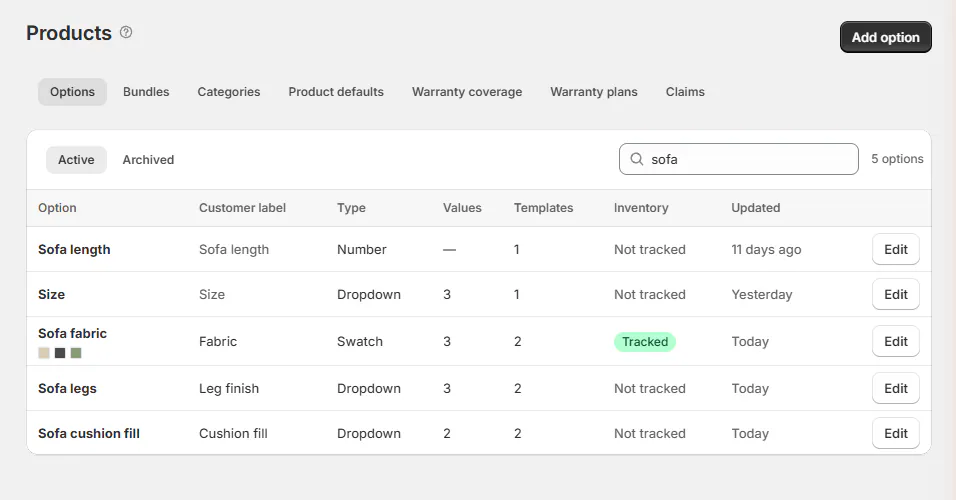
Open SettingsProductsOptions, Bundles or Categories to manage information shared by templates.
Find vendors and order details
Vendors live under Purchasing & accounting. Order fields and fees live under Quotes & orders.
You need Manage the catalog for templates, options, bundles and categories. Vendors need Manage vendors; order fields and fees need Manage order and quote settings.
Older material calls options “custom attributes” and bundles “attribute groups.” These refer to the same catalog pieces.
How the pieces fit together
- 1OptionFabric holds choices such as Sage Velvet.
- 2BundleUpholstered seating groups the choices used together.
- 3TemplateLinden Sofa offers those choices at its own prices.
- 4Order lineOlivia Bennett's sofa records her selected configuration.
Settings pass from the option to the bundle, then to the template's own value. A blank override means inherit the earlier setting.
A category and vendor also belong to the template. They organize the product and connect it to purchasing and store rules.
| Piece | What you use it for |
|---|---|
| Product template | A made-to-order product staff configure on a line. |
| Option | A shared choice, such as Fabric, with its values and prices. |
| Bundle | A reusable group of options for several templates. |
| Category | Grouping templates and applying terms, warranty, signature, deposit and commission rules. |
| Vendor | Naming who makes the piece and receives its purchase orders. |
| Order field | Information entered once for the whole quote or order, without a price. |
| Fee | A reusable charge added to an order. |
| Shopify product | An existing product sold with its Shopify variant. |
| Tax category | Shopify's product category for category-based tax rates. |
Category is OrderPilot's grouping and becomes the Shopify product type. Tax category is separate. Choosing a category does not decide which options the template offers.
Order fields stay out of the Options list, but both share one name list. Use distinct names when information belongs at different levels.
Where you'll see the catalog
Settings holds the reusable pieces; Products holds the templates built from them. The product picker brings templates and Shopify products together when you write a sale.
In Add product, the view choices are All, Templates and Shopify products. Rows identify a Template, Shopify product or Composition.
A Shopify product keeps its variant, price and stock from Shopify. Its Designer and Finishes specifications are read-only on the line.
You can edit its price on quotes and drafts. Once placed, the price is fixed; use a discount to lower it. Reset to Shopify price appears when the variant price differs.
A product without Shopify inventory tracking shows no stock count. Choosing a product with an unknown vendor creates an active Shopify vendor record.
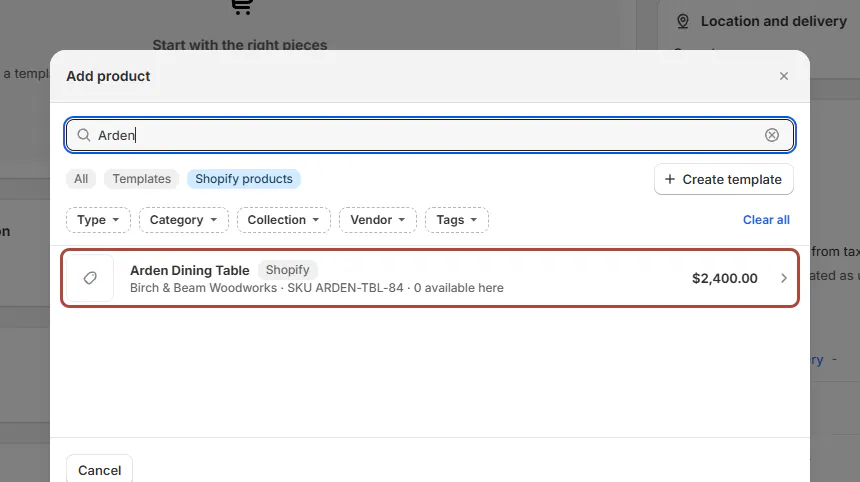
A template's own Shopify product cannot be added as a plain product. Use the template to configure it. A composition groups several Shopify pieces.
Warning
Lines added through Shopify admin or native POS arrive as plain products. You cannot configure those lines afterward.
What saved lines keep
Saving a line records its offered values, labels, option prices and costs. Later saves calculate from that record rather than replacing it with today's catalog.
| Catalog change | Saved quotes and drafts | Placed orders |
|---|---|---|
| Change an option price or label | Keep the saved selection's price and wording. | Keep the sold price and wording. |
| Rename a template | Keep the saved line title. | Keep the saved line title. |
| Archive an option or delete a template | Existing lines keep their own record. | Existing lines keep their own record. |
| Change an option's type | Existing saved lines retain how they were sold. | Existing saved lines retain how they were sold. |
| Change a lead time | Delivery promises follow today's figures. | Keep the promise recorded when placed. |
Lead times are the exception to saved catalog values. A placed order can show Promised when placed on and a separate Today's calculation.
For an in-stock Shopify product, the promise counts the store's delivery time, or none for pickup. Order new also counts vendor build and transfer time until arrival.
When a draft contains a value its template no longer offers, that option opens empty with an explanation, such as “Charcoal Boucle” is no longer offered on this product. The line keeps its saved value and price until you re-pick. Choose a replacement before creating; if the option no longer applies at all, its menu offers Leave empty.
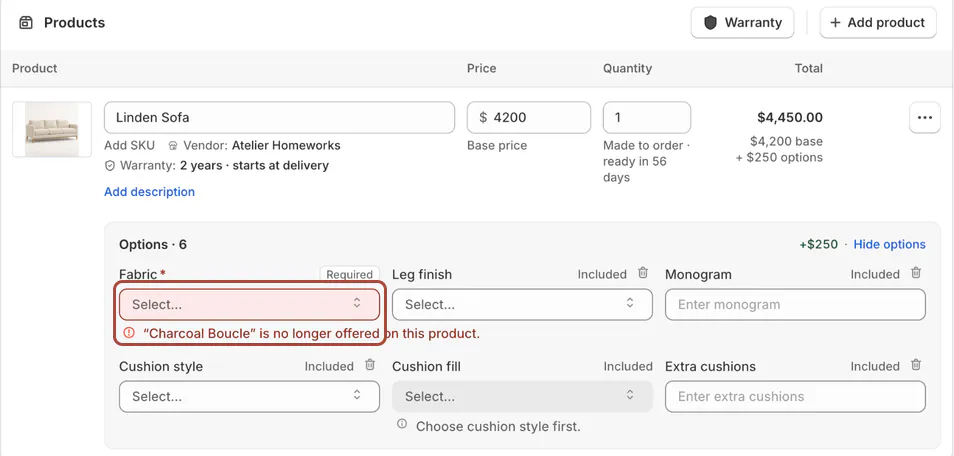
Re-picking a value on a saved quote uses today's price. Make that change deliberately when the customer needs a revised offer.
Example: the Linden Sofa
Harlow & Finch Interiors creates Fabric and Leg finish, groups them in Upholstered seating, and attaches that bundle to Linden Sofa.
The template belongs to Living room > Sofas and Atelier Homeworks. Its category organizes the catalog; its bundle supplies the choices.
Priya Shah's quote combines a Mira Dining Chair template with an Arden Dining Table from Shopify stock. Each line retains its own product type and choices.
When Sage Velvet's price rises, Marcus Reed's saved sofa quote keeps its previous selection price. A new quote uses the new price.
Do it
Build your catalog in this order: categories, vendors, options and values, bundles, then templates. Add order fields and saved fees whenever your team needs them.
Then create a quote or order. For the Shopify records created from a template, read Templates and Shopify products.
Catalog limits
| Item | Limit |
|---|---|
| Categories | 500 including subcategories; 3 levels deep. |
| Values per option | 500. |
| Option name and customer label | 75 and 50 characters. |
| Dimensions part name | 40 characters. |
| Saved fees | 100; names up to 35 characters. |
| Fees and shipping lines per order | 50 fees; 10 shipping lines. |
| Template images | 10; up to 10 MB each. |
| Template handle | 64 characters. |
| Composition pieces | 30. |
| Lead times | Whole days, up to 3,650. |
| Import file | 15 MB; 400,000 rows; 200 templates; 2,000 options; 100,000 values. |
| Statuses and customer groups | 50 of each; 20 statuses are supplied initially. |
| Status map | 200 cards; 300 connections; 10 conditions and 10 actions. |
| Named-parts warranty plan | 200 options; terms up to 1,200 months. |
If something goes wrong
A saved quote has the old price
The saved choice keeps its price. Re-pick the value when you intend to use today's price.
A product is missing
Check its availability and product type in Choose options and a vendor.
A variant is already on the order
Change that line's quantity instead of adding the same variant again.
A line has no stock count
Shopify does not track that product's inventory.
Add is greyed out
Hover over the control for its reason, then check the relevant catalog limit.
Was this guide helpful?
Thanks. Tell us what was missing at support@meetorderpilot.com.