Welcome to OrderPilot
Related guides
- Install and set up OrderPilotGet started · 6 min
- Find your way around OrderPilotGet started · 7 min
- How OrderPilot syncs with ShopifyGet started · 6 min
- OrderPilot on Shopify POSShowroom (POS) · 6 min
- Walkthrough: one sofa from quote to deliveryQuotes and orders · 6 min
OrderPilot keeps a made-to-order sale together, from the customer's first quote to receiving the piece and delivering it. Your team works with the same sale in Shopify admin and on Shopify POS.
The customer's choices, signature, payments and vendor purchase orders stay connected. You can start with the everyday quoting process, then set up the parts your store needs.
Before you start
You need nothing set up to read this overview. It explains the records OrderPilot creates and the choices you make before your team starts selling.
How OrderPilot works
A sale starts as a quote while the customer decides, or as an order when they have agreed to buy. Your store can require a manager's review before the sale proceeds.
The customer signs and pays, your team purchases the required pieces, and the warehouse receives them. Fulfillment is recorded in Shopify as the goods leave for the customer.
- 1Quote or orderOlivia Bennett’s Linden Sofa, written as a quote while she decides.
- 2ReviewOptional: a manager approves the sale before it moves on.
- 3Sign and payOlivia signs and pays her deposit.
- 4Purchase orderThe sofa is ordered from Atelier Homeworks.
- 5ReceiveThe warehouse checks the sofa in.
- 6FulfillShopify records the delivery as it leaves for Olivia.
OrderPilot keeps one record for the sale, linked first to a Shopify draft order and then to a Shopify order. How OrderPilot syncs with Shopify explains what moves between them and when.
Signing, paying and ordering from the vendor are separate parts of that sale. A signature records agreement; it does not replace a payment or tell the warehouse that goods have arrived.
Where you'll see it
| Place | What you do there |
|---|---|
| Shopify admin | Open OrderPilot for Home, Inbox, Quotes, Orders, Purchase Orders, Warranty, Products, Analytics, Academy and Settings. Customers and Review appear when enabled. Your role controls which pages you can open. Find your way around describes the navigation. |
| Shopify POS | Your sales team uses OrderPilot tiles on the register's home screen to create and manage quotes and orders. Start with OrderPilot on Shopify POS when setting up a showroom iPad. |
| Customer pages | Customers can sign, pay and follow their sale through the pages you share with them. The customer portal explains the customer's view. |
| Shopify's own pages | The OrderPilot order block, Product Specification and Shopify Sidekick connect to the app's work. See OrderPilot in Shopify admin and Sidekick. |
Note
The app and the POS tiles work on the same records. Settings live in the app, so make store setup changes from Shopify admin.
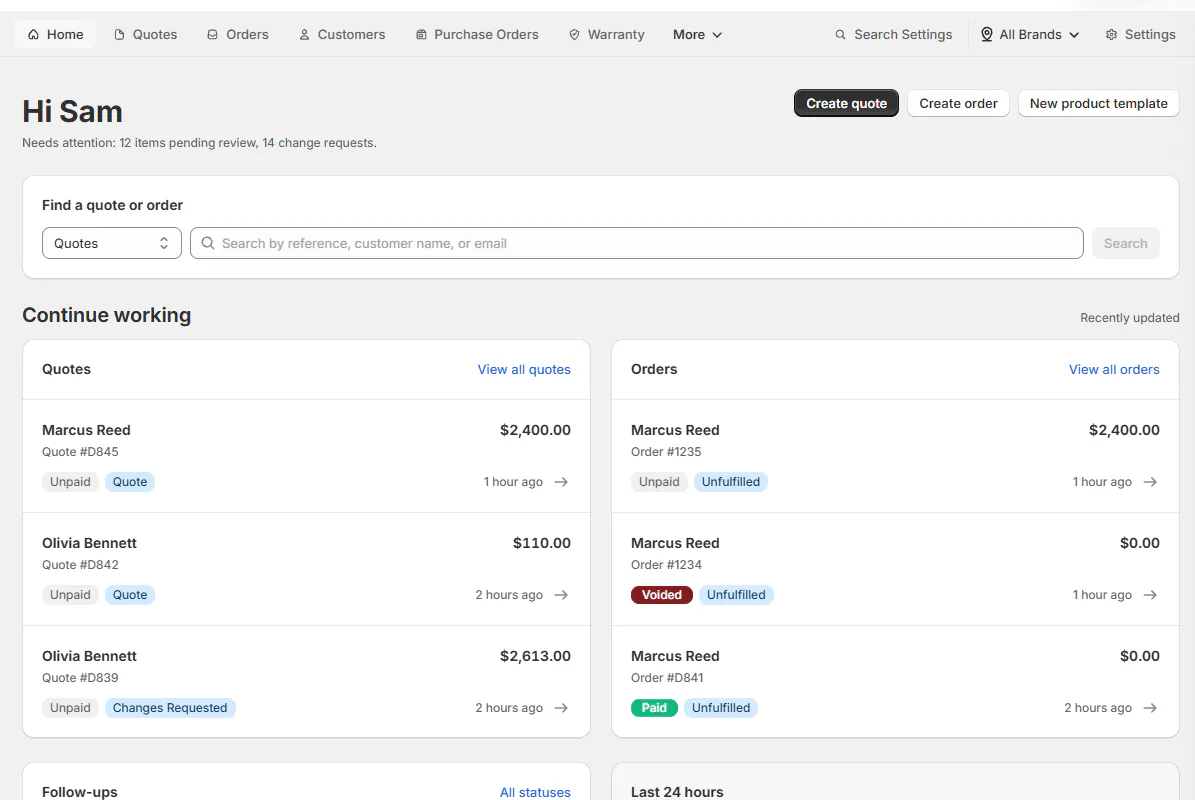
What installation sets up
OrderPilot adds starting records so you can shape the app around your store. These are a starting point for your own catalog and process.
| Starting records | What you get |
|---|---|
| Order statuses | 20 default statuses covering quoting, review, purchasing and fulfillment. |
| Customer status groups | Quote, Confirmed, In production, Ready, On its way, Complete and Cancelled. |
| Product options | Specifications, Notes, Designer, Finishes, Dimensions, Structure and Technical Drawing. |
| Order field | Order Specification, for information about the whole sale. |
| Catalog records | Default Category, Default Vendor and First Custom Template. The template starts without options and uses the SKU prefix CP. |
| Fees | First Custom Fee, Tariff Surcharge, Freight and Installation. Each starts at $0, with tax and physical-item settings off. Set an amount before using one. |
| Shopify information | Active locations and vendor names from your Shopify products. |
| Brand kit | Your live theme's logo, colors and fonts fill empty branding fields. Existing values stay in place. |
The 20 default statuses
- Draft, Pending Review, Quote, Order and Rejected.
- Changes Requested, Partially Sent to Vendor, Sent to Vendor, Ready to Ship and Partially Ready to Ship.
- In Production, Quality Check, Partially Shipped, Shipped and Partially Delivered.
- Delivered, Reorder needed, Ready for pickup, Picked up and Cancelled.
The status settings connect your internal stages with what customers see. The 7 customer groups are not 7 extra internal statuses.
The starter options use several field types. Specifications, Dimensions and Technical Drawing are text; Notes and Structure are text areas; Designer and Finishes accept text and an image.
You can find Order Specification under SettingsQuotes & ordersOrder fields. It is an order field, separate from the product options above.
Note
Setup continues after your first sign-in, so lists can fill a moment later. The starter template (SKU prefix CP) does not complete the setup list's template step.
What happens next
Install and set up OrderPilot takes you through the plan and the setup list on Home. After that, choose the setup your team needs.
| Choice | Where to continue |
|---|---|
| Customers | The Customers page starts off. Customers settings explains how to make it available. |
| Review | The Review page also starts off. Set up order reviews explains manager approval. |
| Brand grouping | Group locations when your business uses different brands. See Group locations into brands. |
| Staff roles | Decide which pages and actions each person needs. See How roles and permissions work. |
| Order statuses | Adapt the sale's stages to your process. See How order statuses work. |
| Online quoting | Configure quote requests on your website when you are ready to offer them. See How OrderPilot works online. |
Example: Olivia's sofa from quote to delivery
Sam Ortiz at Harlow & Finch Interiors creates a quote for Olivia Bennett's Linden Sofa in Sage Velvet. The saved choices stay with the sale.
If the store uses order reviews, Nora Ellis checks the quote before it proceeds. Sam can address requested changes in that same sale.
Olivia signs the quote and pays a deposit. Her signature and payment are recorded separately.
Jo Park creates a purchase order for Atelier Homeworks with the sofa's selected options. The vendor's paperwork follows what Olivia ordered.
When the sofa arrives, Jo records the receipt. The team then completes the customer handover and Shopify fulfillment.
Follow the complete worked story in One sofa from quote to delivery.
Important notes and tips
Starter records can be adapted as you set up your store. Some statuses are system statuses, so check the status guide before removing or renaming stages.
Reinstalling preserves your statuses and branding and restores missing system statuses. Treat your existing setup as the starting point after a reinstall.
If something goes wrong
Statuses or options look empty after installation
Setup may still be finishing. Reload in a minute and check the list again.
The starter template does not tick the template step
The setup list counts your own templates. Create one with your own SKU prefix.
Was this guide helpful?
Thanks. Tell us what was missing at support@meetorderpilot.com.